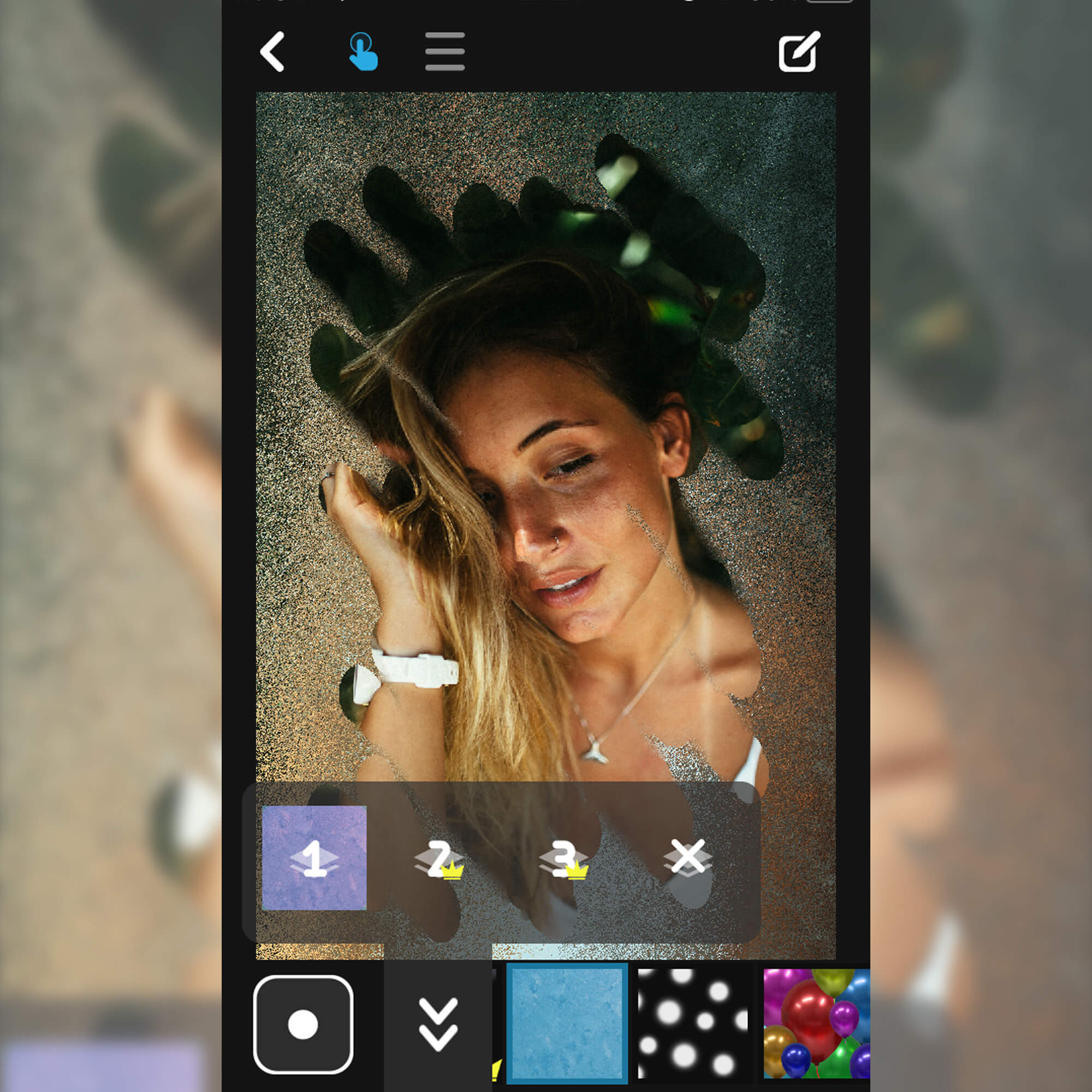
Project Overview
Filterscope is an iOS app that allows users to enhance their photos and videos using custom filters powered by GPU acceleration. Built entirely by myself, the app leverages GPUImage3 and Metal shaders for real-time image processing.
Key Achievement: Extended GPUImage3 to support video content with animated filters and added interactive controls, enabling users to adjust filter parameters in real-time.
Role: Solo developer - I handled all development, shader programming, and App Store deployment.
Technical Implementation
Core Technologies
- GPUImage3: GPU-accelerated image and video processing framework
- Metal: Apple's compute shader API for high-performance graphics processing
- Metal Shading Language: Custom shaders for unique filter effects
- Swift: Native iOS development
- AVFoundation: Video capture and playback
Key Features
- Real-Time Filters: Apply filters to photos and videos with instant GPU-accelerated processing
- Animated Filters: Extended GPUImage3 to support video content with time-based filter effects
- Interactive Controls: Real-time adjustment of filter parameters (intensity, color, effects)
- Custom Shaders: Original filter effects written in Metal Shading Language
- Performance Optimized: Smooth 60fps processing even on older devices
Filterscope in action - real-time photo and video filtering
Technical Challenges
Challenge: Video Filter Support
Problem: GPUImage3 didn't natively support animated filters that change over time in video content.
Solution: Extended the GPUImage3 framework to handle video input and pass time-based parameters to shaders, enabling dynamic, animated filter effects synchronized with video playback.
Challenge: Performance on Older Devices
Problem: Complex filters could slow down on older iPhone models.
Solution: Optimized Metal shaders and implemented adaptive quality settings to maintain smooth performance across all supported devices.
What I Learned
- Metal Shading Language: Advanced GPU programming for image processing
- GPUImage Framework: Deep understanding of GPU-accelerated image processing pipelines
- iOS Performance Optimization: Techniques for maintaining 60fps with complex graphics operations
- App Store Deployment: Complete process from development to App Store publication
- Computer Vision: Image processing algorithms and visual effects implementation
Tech Stack
| Category | Technologies |
|---|---|
| Platform | iOS (Swift) |
| Graphics | Metal, Metal Shading Language |
| Framework | GPUImage3 (extended) |
| Media | AVFoundation |
| UI | UIKit |
Live on App Store
The app is available for download on the iOS App Store:
This project showcases my expertise in GPU programming, Metal shaders, iOS development, and extending third-party frameworks to meet custom requirements.